How Do I Delete My Gumloop Account?
Last updated: March 22, 2026
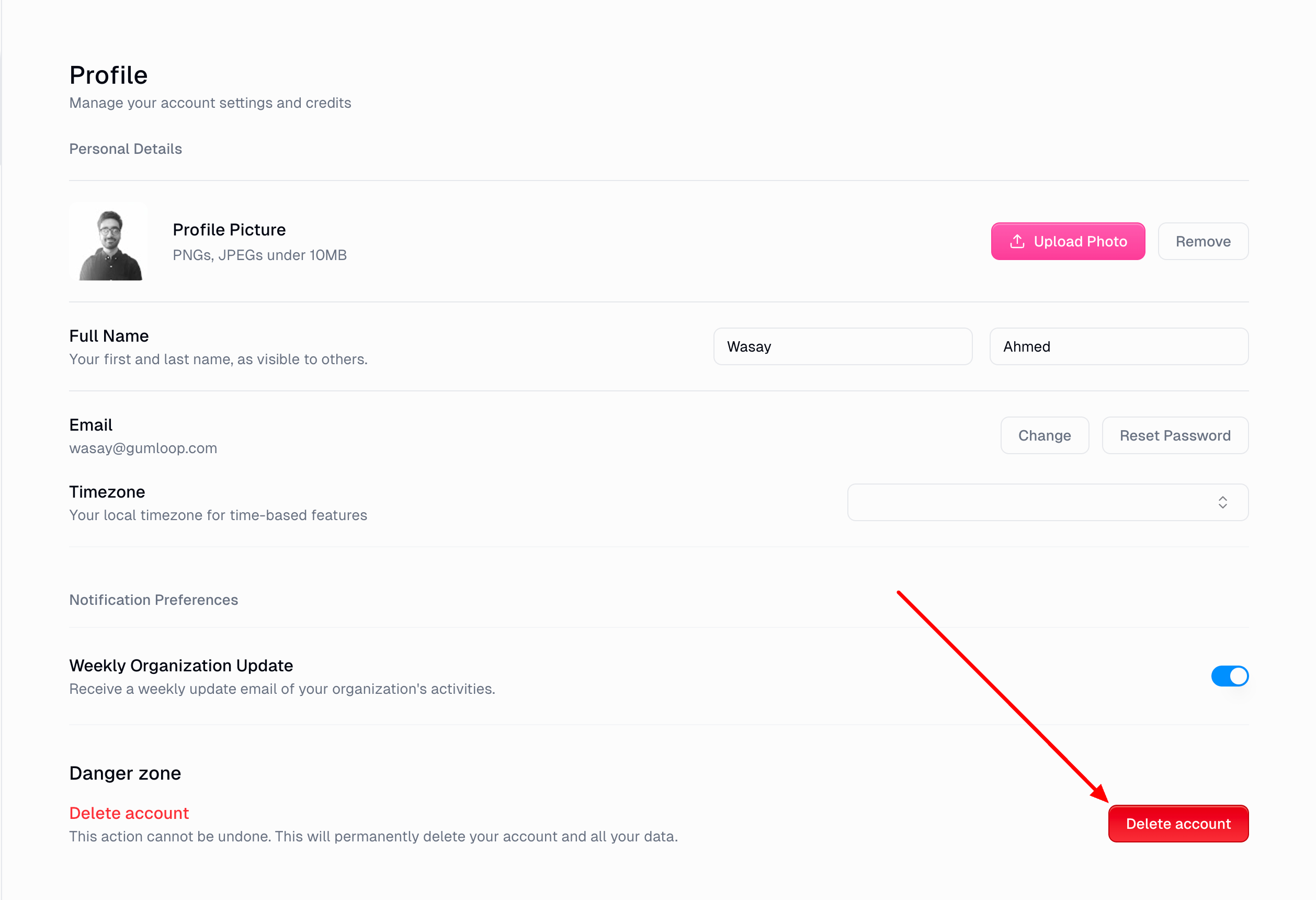
You can permanently delete your Gumloop account from the Danger Zone in your profile settings. This action cannot be undone — all your agents, workflows, run history, and data will be permanently removed.
How to Delete Your Account
Go to Settings > Profile > General.
Scroll down to the Danger Zone section.
Click Delete account.
In the confirmation dialog, verify your identity:
Email/password users: Type your current password to confirm.
OAuth users (Google, GitHub, etc.): You'll be prompted to sign in again with your account provider.
Confirm the deletion. You'll be signed out immediately.
What Gets Deleted
Account deletion is permanent and irreversible. The following data is hard-deleted:
Agents — all agents you created, their configurations, conversation history, and resources
Workflows — all saved workflows, run history, and associated dat
Credentials & secrets — all connected app credentials and stored secrets
Organization membership — you'll be removed from any organizations you belong to
Other data — triggers, files, memory, feedback, and support interactions
Things to Know
This cannot be undone. There is no grace period and no way to recover a deleted account. Make sure you've exported any data you need before proceeding.
Organization data is preserved for other members. If you belong to an organization with other members, the organization itself and its shared resources are not deleted — only your membership is removed.
Authentication record is also removed. Your login credentials (Firebase Auth) are deleted alongside your Gumloop data.
Still Need Help?
If you're having trouble deleting your account or need help exporting your data first, reach out to support at support@gumloop.com.