How Do I Rename an Agent Chat Conversation?
Last updated: May 14, 2026
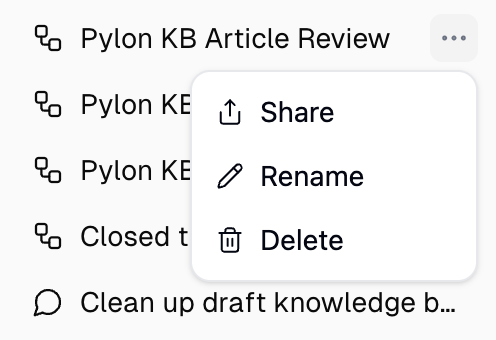
To rename an agent chat, right-click the conversation in the Recents sidebar (or click the ⋯ menu), select Rename, type a new name, and click Save.
The new name updates immediately in the sidebar and chat header. Renaming only affects that single conversation — it doesn't change the agent or any other chats.
Still Need Help?
If this didn't resolve your issue, reach out to support at support@gumloop.com.