How to Find and Generate Your Gumloop API Key
Last updated: March 23, 2026
Your Gumloop API key allows you to trigger workflows and agents programmatically, connect external applications, and build custom integrations with the Gumloop API. A Pro plan or above is required to generate an API key.
How to Find Your API Key
Webhook Button (Recommended)
Click the Webhook button in the top toolbar, next to the Add Trigger button
A panel opens with a ready-to-use cURL snippet
Your API key and user_id are both in this snippet -- copy them and store them securely
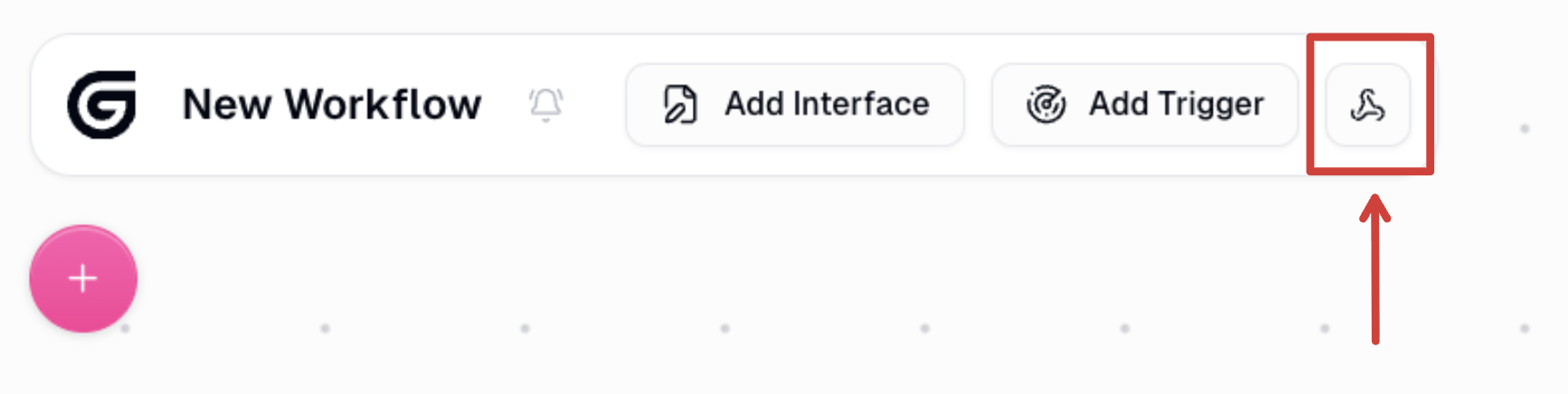
The Webhook button is located in the top toolbar, next to Add Trigger. Click it to open the webhook panel 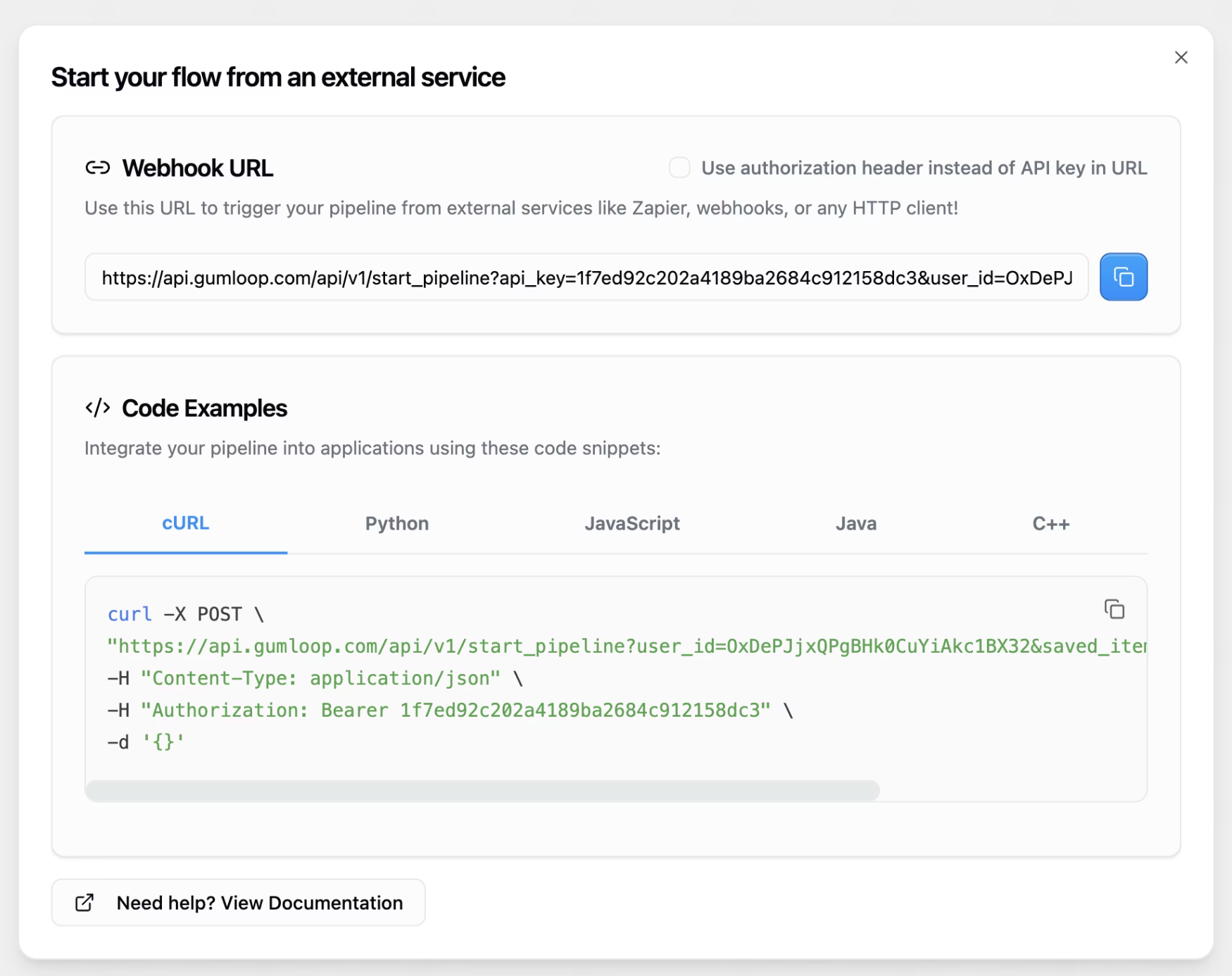
The webhook panel shows your Webhook URL (which contains your API key and user_id) along with ready-to-use code examples in cURL, Python, JavaScript, Java, and C++ Settings Page
Your API key is shown on this page
You can also revoke and regenerate your API key here
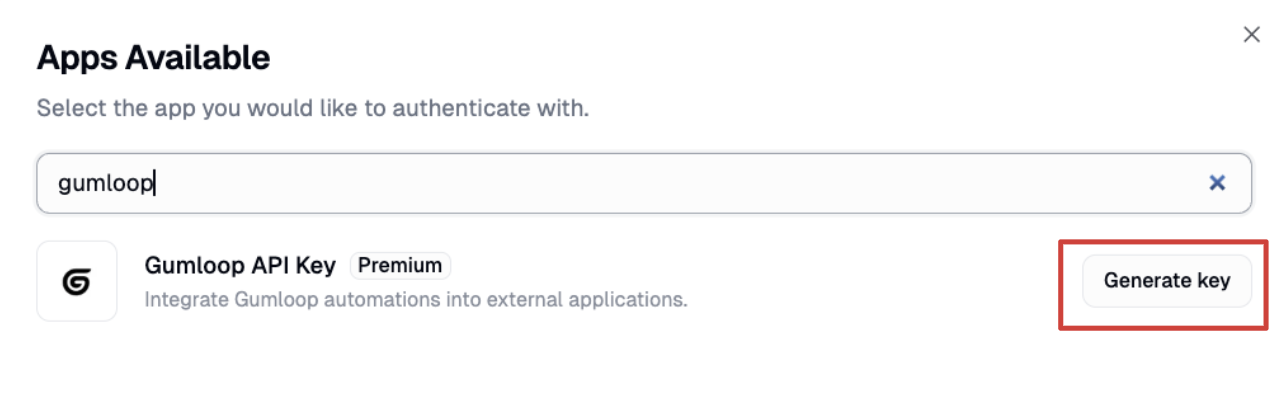
Search for "Gumloop API Key" in your Connected Apps. If it is not listed, click Connect App to generate a new one 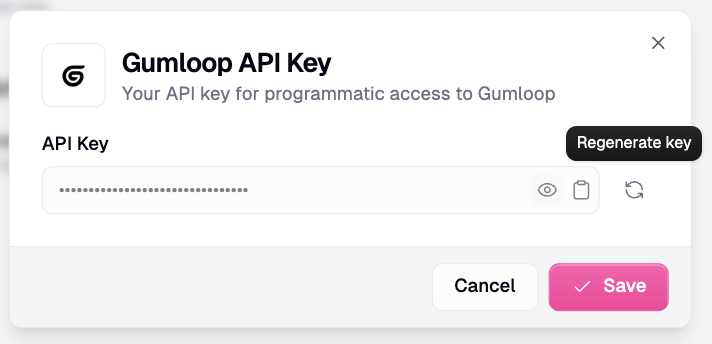
Once generated, your API key is shown here. Use the copy, reveal, or Regenerate key buttons to manage it
Personal vs. Team API Keys
Gumloop has two types of API keys:
Personal API key -- tied to your individual account. Can only trigger workflows for yourself (your
user_id). Best for personal automations and testing.Important: When using a Personal API key, you must include your
user_idin the request body. Without it, you will get a 403 Unauthorized error. Find youruser_idin the cURL snippet from the Webhooks button on the workflow page.Team API key -- shared across your entire team. Can trigger workflows on behalf of any team member by specifying their
user_id. Best for backend integrations and team automations.
Both require a Pro plan or above. Each account can generate one API key. If you need multiple keys, you will need separate accounts.
Troubleshooting:
API key not working -- Confirm you are on the Pro plan or above. Check that you copied the entire key without extra spaces. Try regenerating your API key if the issue persists.
401 Unauthorized error -- Make sure your API key is in the header in the correct format:
Authorization: Bearer YOUR_API_KEY_HERE. Verify the key has not been revoked or regenerated.403 Unauthorized error -- You are most likely missing your
user_idin the request body, or it was truncated during copy-paste. Go to https://www.gumloop.com/pipeline, click the Webhooks button, and copy the fulluser_idfrom the cURL snippet.
Related Docs
Gumloop API Reference -- https://docs.gumloop.com/api-reference
Apps & Credentials -- https://docs.gumloop.com/core-concepts/credentials
For anything else, reach out to us at support@gumloop.com and our team will help you.